
Let's Get Your HogEye Camera System Setup!
HogEye Mini
The HogEye Mini is the next generation of hog trap camera technology—smaller, smarter, and built from the ground up for landowners who want pro-level results without the DIY headaches. On this page, you’ll find everything you need to get your Mini up and running fast: setup guides, quick-start checklists, videos, and troubleshooting tips straight from real trappers. Whether you’re protecting a few acres or a few thousand, these resources are here to help you trap more hogs with less time in the field.
Introducing the New HogEye Mini
How to Mount Your HogEye Camera
Why We Trap Feral Hogs In Summer
Trapping Success Compilation
HogEye Mini-Starlink
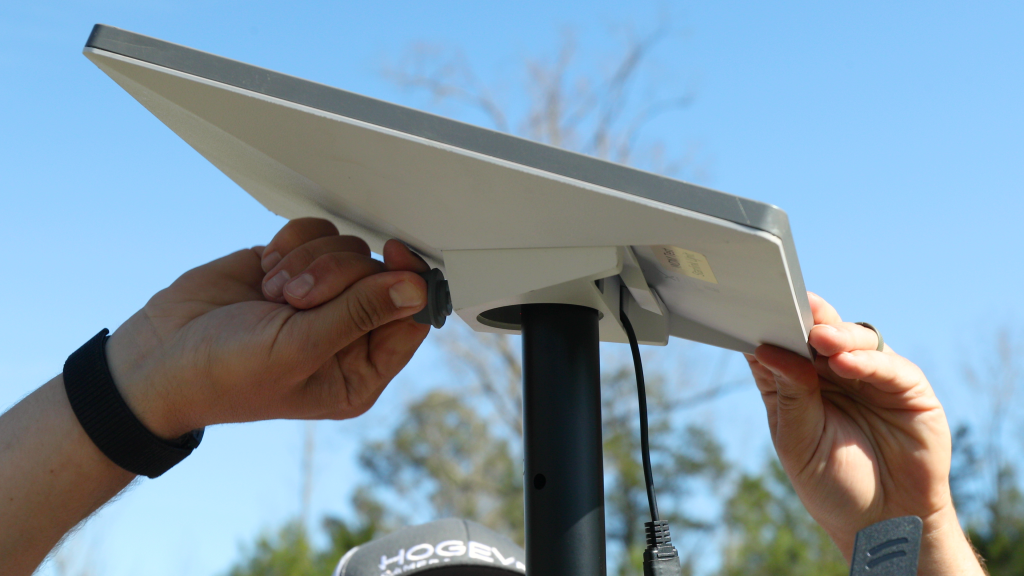
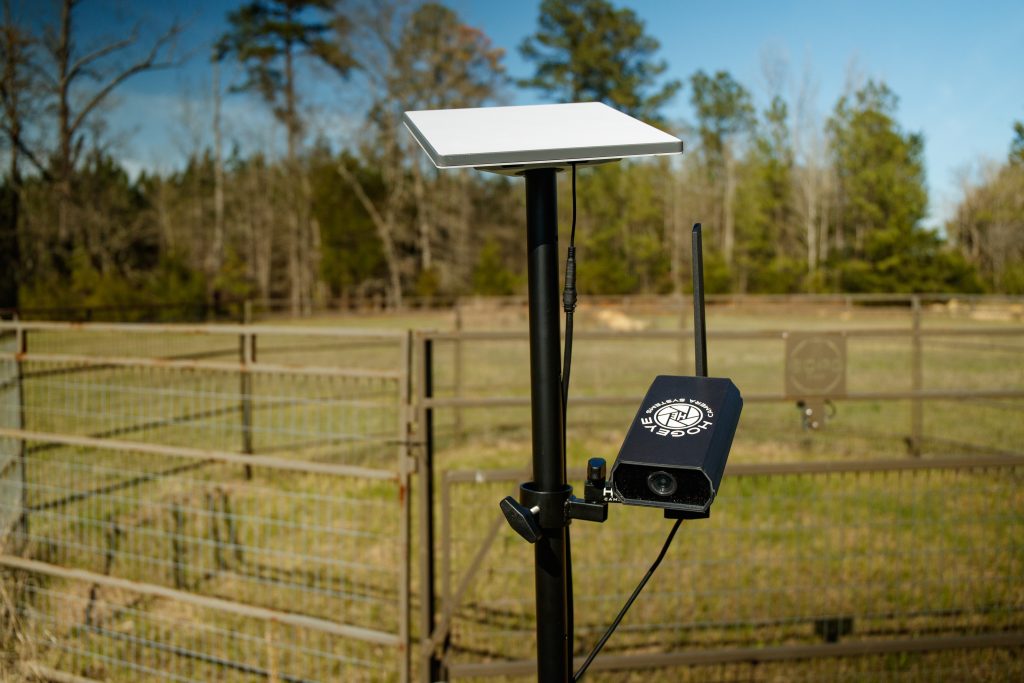
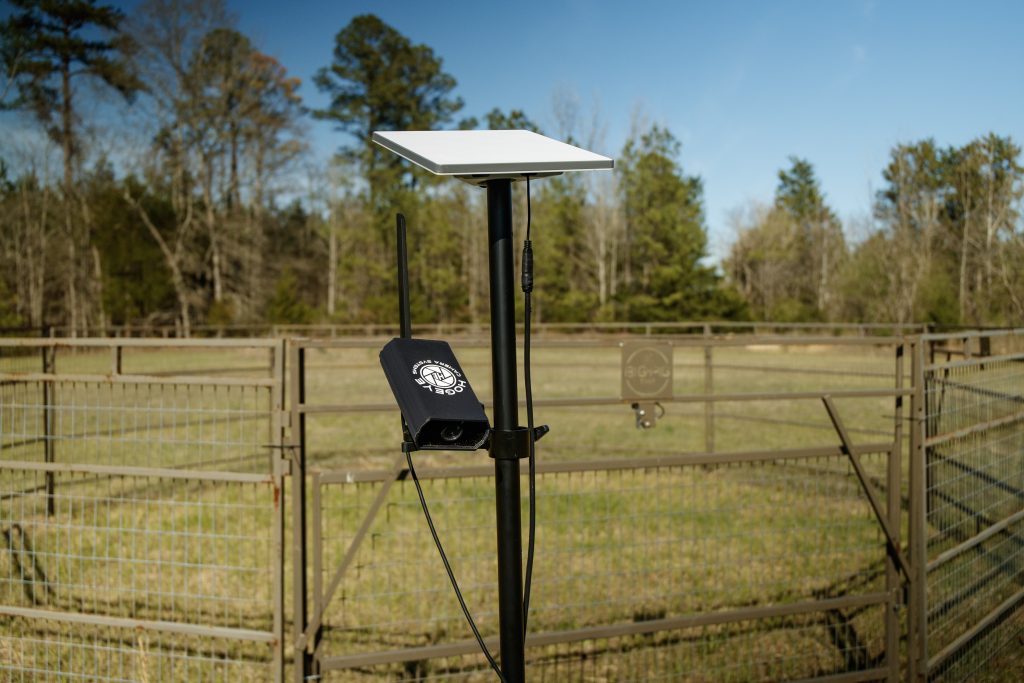
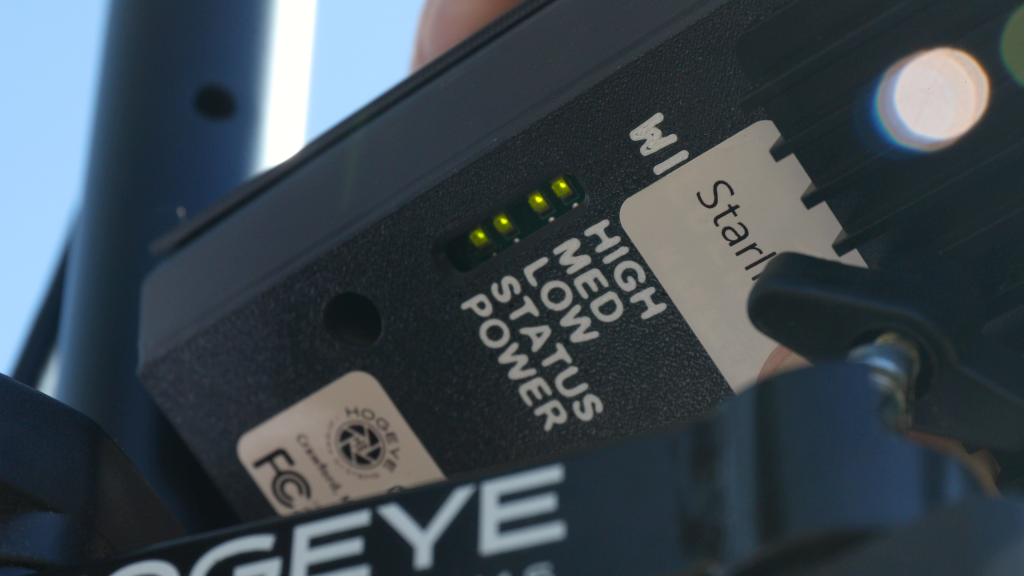
The HogEye Mini Starlink system is designed for hard‑to‑reach properties where cell coverage falls short but hog pressure never does. The compact HogEye Mini camera with Starlink, you get the same trapping‑specific features and real‑time control—now available almost anywhere you can see the sky. Use the resources in this section to set up your HogEye Starlink package, fine‑tune your connection, and make sure your system is always ready when the hogs show up.
HogEye Legacy (Cameras built before Nov. 2025)
Still running a Legacy HogEye camera? You’re in the right place. Even though the original system is no longer sold, we continue to support it with replacement parts, how‑to videos, manuals, and troubleshooting guides so you can keep trapping with confidence. This section is dedicated to helping Legacy owners extend the life of their equipment and get the same field-proven performance HogEye has been trusted for from the beginning.
How Does the NEW HogEye Camera System Compare to the Old?
| Feature | NEW HogEye Camera | Old HogEye Camera |
|---|---|---|
| Size & Setup | Compact and lightweight — 75% smaller and easier to mount anywhere | Larger and heavier, requires more setup space |
| Battery Life | Uses less power, so batteries last longer and solar panels can be smaller | Higher power demand, needs a bigger solar system |
| View & Coverage | Wider field of view lets you see inside and outside the trap | Narrower view, harder to monitor the whole site |
| Warranty & Support | 3-year warranty with U.S.-based support from real trappers | Standard warranty with limited support |
| Technology | Custom HogEye app designed specifically for trapping and has AI filtering | App works, but with fewer custom features |
| Price | More affordable — makes HogEye accessible to more landowners | Higher price point ($2,199+), mainly for professionals |
| Flexibility | Works with any trap (commercial or homemade) | Works with any trap (commercial or homemade) |
| Data Plans | Flexible plans you can start/stop anytime — no contracts or fees. Plans are $50/mo with optional AI capabilities for an additional $10/mo | Flexible plans you can start/stop anytime — no contracts or fees. Plans are $65/mo and not AI compatable. |
| AI Notification Capabilities | Yes — turning on AI monitoring allows you to set the camera to only notify you when there are o1+, 3+, or 5+ feral hogs in your trap. This is an additional $10/mo but cuts down notifications by 90%+ | AI is not available on the HogEye Legacy |
Frequently Asked Questions - HogEye Camera System
A minimum of 3 hours is required to maintain the battery at the proper charge. The more horizontal the better when positioning the solar panel.
A true 12V Marine Deep Cycle Group 29+ but here are a few we recommend. Hybrid (Dual Purpose) batteries that are commonly sold are NOT suitable for use with the HogEye camera system. Please reference the following batteries at leading retailers:
a. Walmart: Everstart Maxx Lead Acid 29DC
b. Interstate Batteries: Marine/RV Battery (DC29)
c. Interstate Batteries: SRM-31 Deep Cycle
d. NAPA: NAPA 8000 Series Battery BCI No. 31 650 A
Each “Organization” represents the subscriber’s Group of Users. Users can be a part of multiple “Organizations.” There are 3 tiers for an organization:
• The Owner has complete control of the organization and all cameras
• An Admin can do everything EXCEPT change billing information.
• A Member can only stream the camera and download videos
If you go to the camera view screen, you will see a gear icon. If you press this, it will bring you to the camera configuration page, and you will be able to adjust the green outline, which represents the motion box. Adjust the box specifically around the area you want to monitor and click SAVE. You can also activate the AI capabilities on HogEye Mini Cameras only. AI capabilities are an additional $10/mo but allow you to set the notifications so that you are only notified when one+, three+, or five+ hogs are detected in the trap.
Currently there is No limit on the number of users in an organization.
Go to the online portal and log in https://signup.hogeyecameras.com Click on the “Subscription” tab and you will see the option to cancel or add a different payment method. If you add a different payment method, you will need to select it and UPDATE the subscription.
a. A fully charged battery with no solar with last on average 5-6 days
b. A battery with solar charging will last several months at a minimum, assuming the correct battery is used and you have direct sun on the panel.
Attempt to collect as much information as possible prior to contacting support. Camera # and e-mail address of the primary account Owner. Please make a note of which lights are on/off (Power, Signal, and Carrier).
An inactive camera doesn’t always mean it is down. An inactive camera simply means it did not check-in at the correct time. Attempt to stream the camera first to verify that it is truly not active. Inactive cameras are most often power related. Please reference the following video for more information:
https://www.youtube.com/watch?v=zViesYJEymE&feature=youtu. be&list=PLSGLicWHpIuAiPFb4mWNMid1qKlhCkplY
a. Phone: 855-464-3935
b. Email: support@wildlifedominion.com
c. Chat: Online chat via the HogEye App
Trusted Referrals From Your Neighbors


